General Information
There will be two poster sessions on Tuesday September 15th, from 3:30 pm to 3:50 pm and from 4:20 to 6:00 pm. Each session will hold up to 27 posters. Poster presenters will receive a notification of which day their poster will be presented. We ask the presenters to remove their posters after each session. We recommend the size A0 (portrait orientation) for the posters, preferably with a wooden handle finish and a cord for attachment. The panels will have hooks to hang the posters.
Best Poster Award
The five best posters will be awarded a special prize. To be considered for the prize, the presenter should upload their poster PDF file to Indico by Tuesday, September 15th, 3 pm (local time).
Upload instructions
Please make sure that you have a CERN Indico account and check in advance if you have the rights to upload materials to your contribution on Indico. Contact immediately the organizers at info.rpc2026@uerj.br in case of any problems with uploading file(s) to Indico. To upload the poster file on Indico, go to the main Indico conference page and click on My Conference -> My Contributions. There, click on the 'Edit materials' button in the bottom right corner and upload your file with the poster. Make sure you are logged in with the same Indico account that your contribution is assigned to.
Poster printing
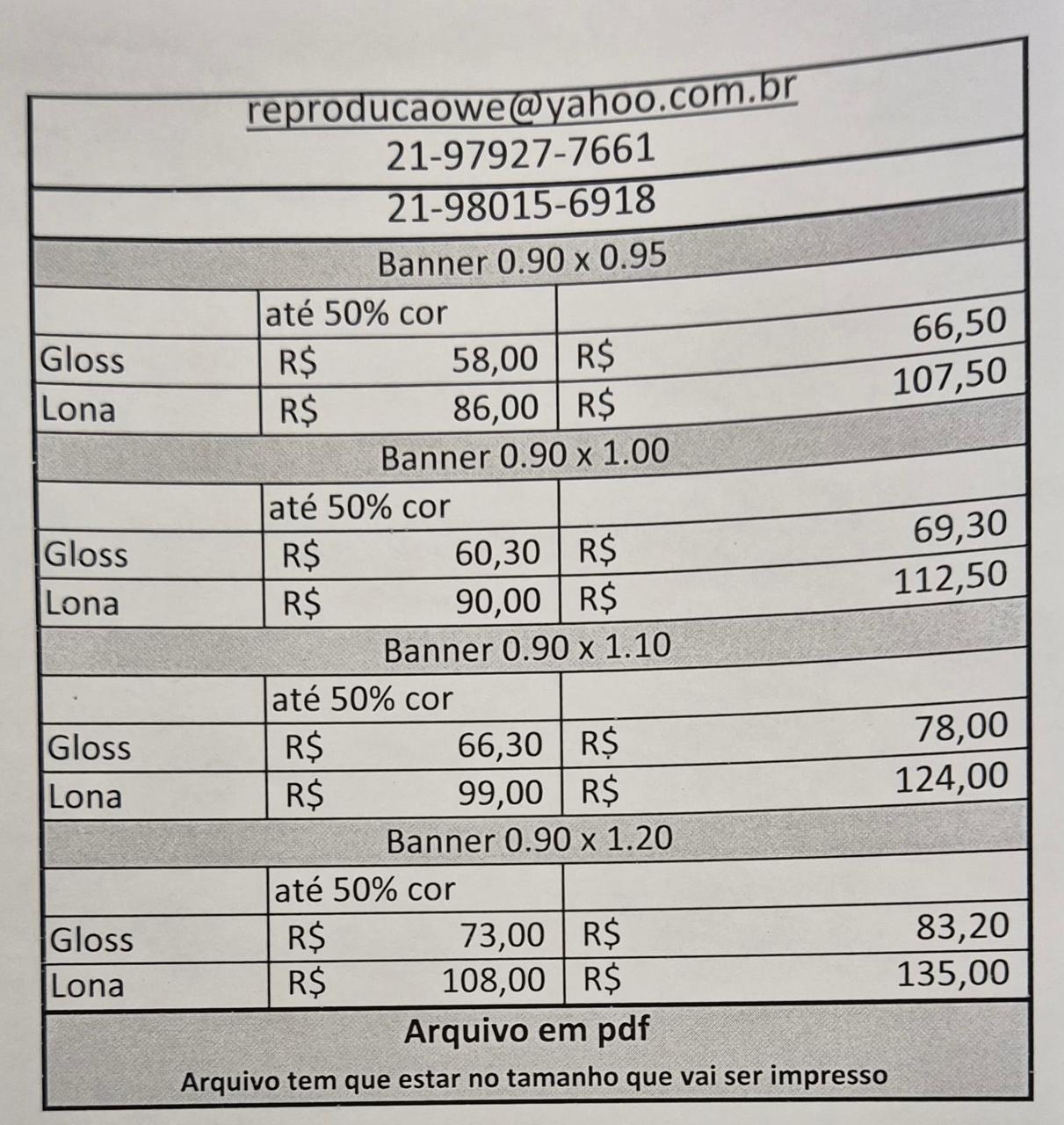
The university has a print shop located on the first floor. Production takes up to 24 hours. If you need printing services, please contact a member of the event staff on the first day for assistance. The poster will be ready in time for the Tuesday session. Available sizes and prices are shown in the image below: