
Presentation rooms will be equipped with Windows 10 PCs running Microsoft PowerPoint 2016.
Presentation slides should preferably be prepared in Microsoft PowerPoint format (.pptx). Presenters wishing to use other presentation software or their own laptop computers are requested to make the necessary arrangements themselves and to check compatibility in advance.
Presentation materials should be uploaded directly to the presenter’s contribution page on the conference website (Indico system).
Two types of presentation materials can be uploaded:
1. Presentation File (required)
Presenters are required to upload the file to be used for the actual presentation at the conference venue. In most cases, this will be a Microsoft PowerPoint (.pptx) file.
When uploading this file, presenters are requested to select the “Protect” option so that the file is accessible only to conference organizers and venue staff.
Presentation files must be uploaded by Wednesday, July 8, 2026.
The uploaded presentation files will be prepared in advance on the PCs in the presentation rooms.
2. Handout Materials (optional but strongly encouraged)
Presenters are encouraged to upload one or more files as handout materials for conference participants. These files will be publicly accessible via the conference website and the HepCon mobile app.
Handout materials may include PDF versions of presentation slides, supplementary documents, references, worksheets, or other materials relevant to the presentation.
When uploading handout materials, presenters should leave the “Protect” option unchecked so that the files are accessible to conference participants.
When preparing presentation files, presenters are requested to observe the following points:
・If your presentation includes videos or audio, please ensure in advance that all media files function correctly on a Windows environment or the computer you plan to use.
・Presenters using Macintosh computers are advised to check font compatibility carefully in advance.
・Presenters using their own laptop computers are requested to bring any necessary power adapters or HDMI conversion connectors.
As a precaution, presenters are also requested to bring a backup copy of their presentation data on a USB flash drive.
Presenters are asked to be seated in the “Next Presenter” seat at least 15 minutes before their scheduled presentation time.
Each oral presentation slot is 15 minutes in total.
Presentations are scheduled to begin at fixed 15-minute intervals. In order to maintain the overall conference schedule, presenters are requested to ensure that their presentation and Q&A conclude within 14 minutes, allowing approximately 1 minute for speaker transition.
As a general guideline, presenters are encouraged to use approximately 10–12 minutes for the presentation itself and to leave approximately 2–4 minutes for Q&A discussion. However, the balance between presentation time and discussion may be adjusted as appropriate within the allotted 14 minutes.
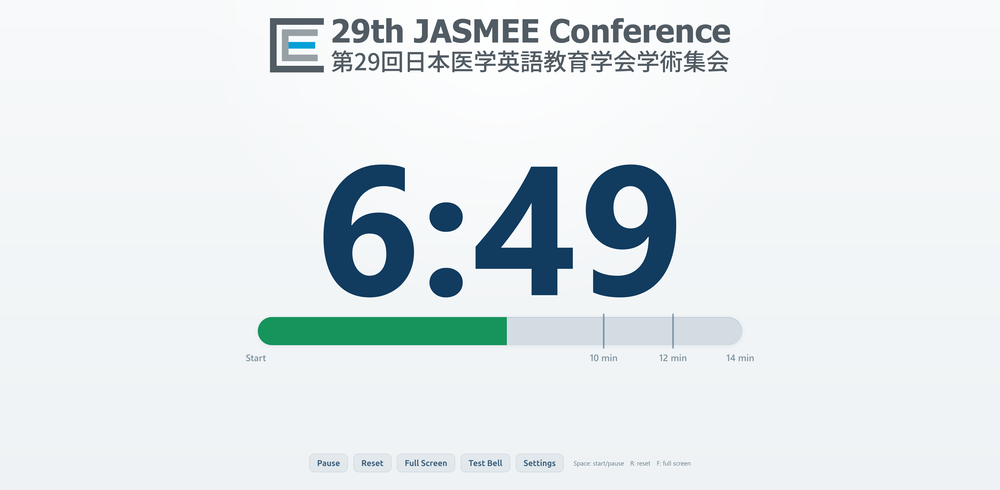
A warning bell will ring once at 10 minutes, twice at 12 minutes, and three times at 14 minutes to indicate the end of the allotted time. Presenters are requested to observe the time limits strictly.
A presentation timer will be used to indicate the time remaining.
HepCon Mobile App
Additional questions and discussion may also continue through the “Presentation Comments” function in the HEPCon mobile app. Please note that users must be logged in to the app in order to post comments.
一般演題発表者の皆様へ
発表会場には、Windows 10 / Microsoft PowerPoint 2016 を搭載したPCを設置いたします。
発表スライドは、原則として Microsoft PowerPoint形式(.pptx)で作成してください。その他のプレゼンテーションソフトウェアやご自身のPCをご使用になる場合は、必要な準備および事前の動作確認を各自でお願いいたします。
発表資料は、大会ウェブサイト(Indicoシステム)の各発表ページ(Contribution Page)よりアップロードしてください。
アップロード可能な資料は以下の2種類です。
1.Presentation File(必須)
大会当日に会場で使用する発表ファイルをアップロードしてください。通常は Microsoft PowerPoint(.pptx)ファイルを想定しております。
このファイルをアップロードする際には、「Protect」オプションを選択し、大会運営スタッフのみがアクセス可能な設定にしてください。
発表ファイルのアップロード期限は、2026年7月8日(水)です。
アップロードされた発表ファイルは、事前に各会場PCへ準備いたします。
2.Handout Materials(任意・推奨)
参加者向け配布資料として、追加ファイルをアップロードいただけます。これらのファイルは、大会ウェブサイトおよび HepCon モバイルアプリを通じて参加者に公開されます。
PDF化したスライド、補足資料、参考文献、ワークシート等、発表に関連する資料をご自由にアップロードいただけます。
Handout Materials をアップロードする際には、「Protect」オプションを選択せず、参加者がアクセスできる状態にしてください。
発表ファイル作成時の注意事項
・動画・音声を使用する場合は、Windows環境またはご使用予定のPC上で正常に再生されることを事前にご確認ください。
・Macintoshをご使用の場合は、フォント互換性に十分ご注意ください。
・ご自身のPCをご使用の場合は、必要な電源アダプターやHDMI変換コネクター等をご持参ください。
万一に備え、発表データのバックアップをUSBメモリ等でご持参いただくことを推奨いたします。
発表者の皆様は、発表開始予定時刻の15分前までに、会場内の「Next Presenter」席にご着席ください。
各口演発表の枠は合計15分です。
発表は15分間隔で開始されます。大会全体の進行維持のため、発表者交代時間として約1分を確保できるよう、発表および質疑応答は14分以内に終了するようお願いいたします。
目安として、発表10〜12分、質疑応答2〜4分程度を推奨しておりますが、14分間の範囲内で、発表と質疑応答の時間配分は適宜調整していただけます。
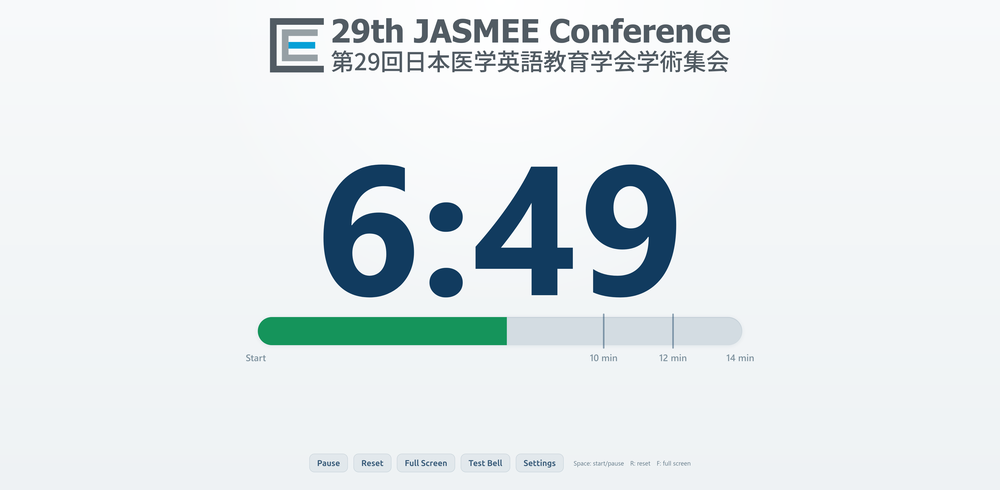
時間管理のため、10分で1鈴、12分で2鈴、14分で3鈴を鳴らします。円滑な進行のため、時間厳守にご協力をお願いいたします。
残り時間をお知らせするため、プレゼンテーション・タイマーを使用します。
HepCon モバイルアプリ
追加の質問やディスカッションは、HEPConモバイルアプリの「Presentation Comments」機能を通じて継続することもできます。なお、コメントを投稿するには、アプリへのログインが必要です。